Syncing Tesla Lightshows with Falcon Player

Newer model Teslas have built-in Lightshows you can play on the car. They also let you upload custom shows that you prepare in xLights.
I wanted the Tesla to be in sync with the show on the house though. Through a little experimentation we found that if you schedule a Tesla to start at a certain time and then schedule the Falcon player to start the show exactly 5 seconds after that time, the shows are very close to being in sync.
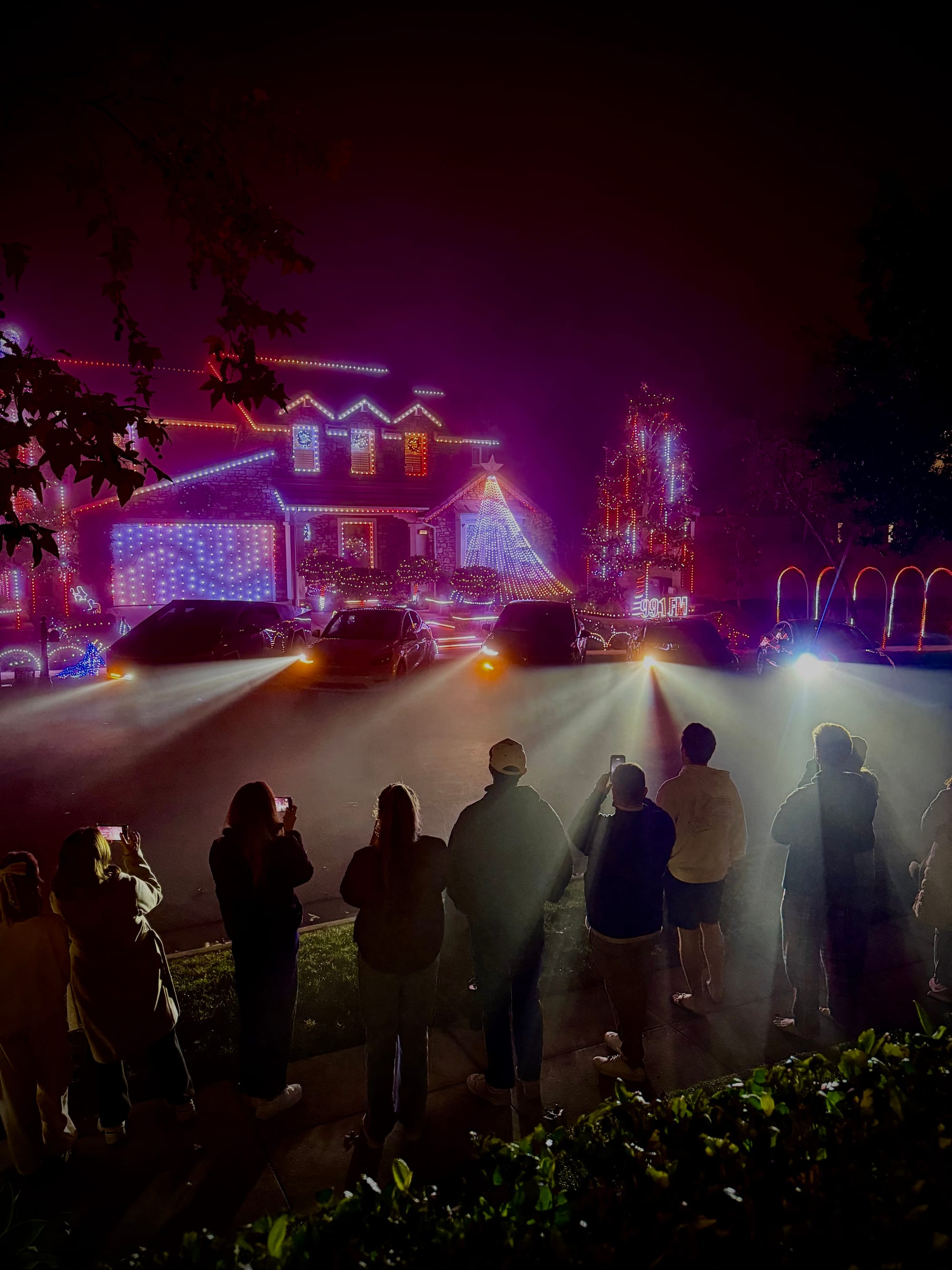
Of course it would be better to have every model of Tesla in the show. A Cybertruck, Model X, Model Y, Model S, and Model 3. I assembled the Teslas from a few friends and Fletch created a version of our Most Wonderful Time of the Year show for the Teslas. On the night we wanted to have the Teslas perform we couldn't find a Model 3. Luckily a guy watching the show saw what we were up to and offered to drive home and get his Model 3 and bring it back. He was good to his word and delivered a Model 3 to us just 20 minutes later.
We scheduled all the Teslas and tried it out. The Model X refused to start playing the show a few times. Eventually we decided it was too close to the neighbor cars so it was probably going to have problem opening the falcon wings. Rather than move all the cars again we just disabled the "dance" moves for the X and everything finally worked. Youtube video and photos below...